
Will GTA 6 fit? How to make room on PS5 and Xbox Series before you download it
No store has published GTA 6's install size yet, but you can prepare now: check your real free space, park old games on USB, and expand with an M.2 SSD or Xbox Storage Expansion Card only if you need to, following Sony's and Microsoft's own requirements.
The short answer
Pre-loading opened on November 10, nine days before launch, and every copy of GTA 6 will be installed from a download. Rockstar's physical version is "a download code inside the box", so there is no disc install to fall back on. As of October 13, 2026, no store has published the game's install size, so you can't yet know exactly how much room you need. What you can do now costs nothing: find out how much free space your console really has, and move games you aren't playing to cheaper storage. Buy an M.2 SSD (PS5) or a Storage Expansion Card (Xbox) only if that still isn't enough once the size appears.
One rule decides where GTA 6 can live. It is a PS5 game and an "Optimized for Xbox Series X|S" game, so it has to be installed on the console's internal SSD, a PS5 M.2 SSD or an Xbox Storage Expansion Card. A USB drive can park other games to make room, but it can't run GTA 6.
What each console starts with
| Console | Internal storage, as listed by Sony or Microsoft | Where GTA 6 can run from |
|---|---|---|
| PS5 Digital Edition (current US listing) | 825GB | Internal SSD or M.2 SSD |
| PS5 console | 1TB | Internal SSD or M.2 SSD |
| PS5 Pro | 2TB | Internal SSD or M.2 SSD |
| Xbox Series S | 512GB or 1TB, depending on model | Internal SSD or Storage Expansion Card |
| Xbox Series X | 1TB (2TB on the Galaxy Black Special Edition) | Internal SSD or Storage Expansion Card |
None of these figures is the space you actually get. Sony's footnote says "a portion of the SSD is reserved for system software and other functions so the available SSD capacity may vary," and Xbox Support says that "even with no games installed, you won't see the full 500 GB, 1 TB, or 2 TB free." Your own Storage screen is the only number that counts.
Step 1: read your real free space
- PS5: go to Settings > Storage, which shows how much of the console storage is used and how much is free.
- Xbox: press the Xbox button, then Profile & system > Settings > System > Storage devices. Each drive shows "the percentage of space used and available free space."
Write that number down. When a store publishes the GTA 6 size, compare it with this figure and leave some headroom; neither Sony nor Microsoft publishes a recommended spare margin.
Step 2: park games you aren't playing
This is the free fix, and the two platforms handle it slightly differently.
On PS5, format a USB drive as USB extended storage. Sony's requirements: SuperSpeed USB 5 Gbps or faster, 250 GB to 8 TB, connected directly rather than through a hub, and only one extended storage drive in use at a time. Then open Game Library, highlight a game, press Options and choose Move Games and Apps. The limit matters: "PlayStation 5 games can't be played directly from USB extended storage", so moving a PS5 game to USB is parking it. You copy it back to console storage when you want to play. PS4 games are different; they run from the USB drive.
On Xbox, an external drive needs at least 128 GB and a USB 3.0/3.1 connection. Go to My games & apps > See all > Games, highlight a game, press Menu, choose Manage game and add-ons, select the game box and pick Move or copy. Optimized for Xbox Series X|S games stored there must be moved back to the internal SSD or an expansion card before you can play them, while Xbox One, Xbox 360 and original Xbox games run from USB.
If you would rather delete than move, nothing is lost but download time. Xbox Support notes that "removing a game from your console storage doesn't remove your license", and saves for Xbox games sync online.
Step 3: if you still need room, expand the fast storage
PS5: an M.2 SSD
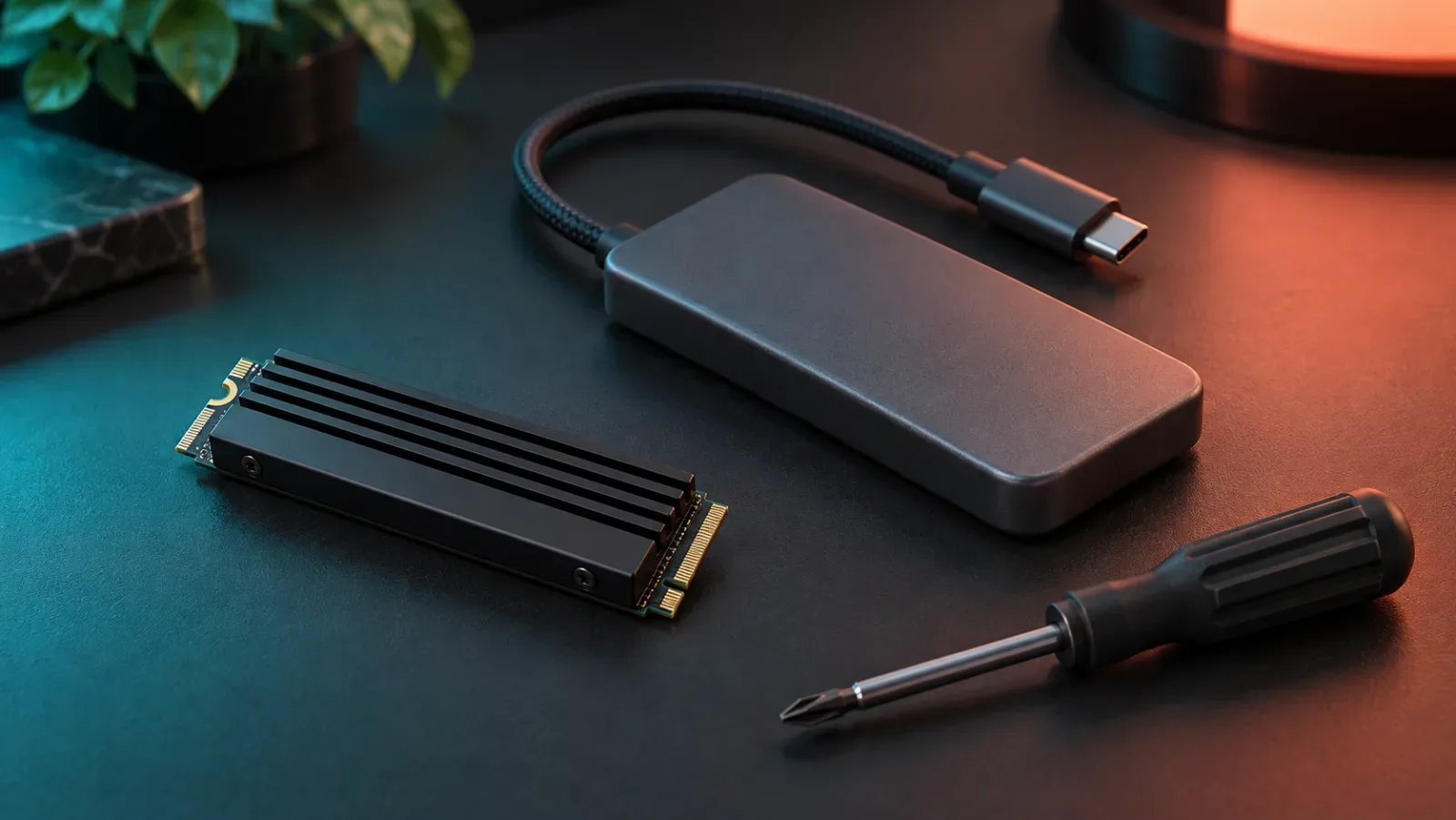
Sony's requirements are strict: a PCI-Express Gen4x4 M.2 NVMe SSD (Key M), 250 GB to 8 TB, sizes 2230 to 22110, with a heatsink or heat transfer sheet, and a sequential read speed of 5,500MB/s or faster recommended. The full size table, including the 11.25 mm thickness limit, is on our file size and pre-load page. Sony also warns that it "cannot guarantee that all M.2 SSD devices meeting the described specifications will work."
Before you open the console:
- Update the PS5 system software first; Sony asks for the latest version before installing a drive.
- Check your model number. Sony gives separate steps for the CFI-1000 model group and the CFI-2000/7000 model group, and its support page links a guide to finding the number.
- Work at a well-lit table with a #1 Phillips screwdriver, and touch a grounded metal object to discharge static.
The process, in short: power off and unplug, remove the cover (the large side cover on CFI-1000 consoles, a small triangular cover on CFI-2000/7000 consoles), unscrew the expansion slot cover, move the spacer to your drive's length, insert the SSD at an angle, screw it down, and put everything back. When the console starts, it offers to format the drive. Formatting erases anything on it, and Sony says not to switch off the power while it runs.
Then go to Settings > Storage > Installation Location and choose the M.2 SSD if you want new downloads, GTA 6 included, to go there. If a game misbehaves on the M.2 drive, Sony's advice is to move it back to internal storage.
Xbox: a Storage Expansion Card
Microsoft's card comes in 2TB, 1TB and 512GB versions and "performs identically to the console's internal SSD." Installation is a plug-in job: remove the protective cover and push the card into the Storage expansion slot on the back of the console. Xbox Support says to "always take your very first Xbox update before connecting" one. On first connection the console asks whether the card will be used mainly on this console; choosing that lets it update games automatically.
To send new installs to the card, go to Profile & system > Settings > System > Storage devices > Change install locations. "Let Xbox decide" prioritises the faster drives but can fall back to a slower one if that is the only drive with enough space, so pick the card or the internal SSD explicitly if you want to be sure.
Step 4: when you start the pre-load
Digital pre-orders have been able to pre-load since November 10: from midnight local time on PS5 and from 00:00 GMT on Xbox, after Rockstar moved the date forward from November 12. If you buy the boxed version, it goes on sale on November 12, and you redeem its code and download the game the same way. Once the download is queued, the real install size is visible in the console store and download queue. Compare it with the free space you recorded in Step 1, and only then decide whether you need to buy anything.
What isn't published yet
- The GTA 6 install size on any platform. The Xbox store record behind the listing still reports 344,731,648 bytes, about 329 MiB, a pre-order placeholder rather than the game.
- A separate Xbox Series S size.
- Free space required during installation.
Where to check next
The file size and pre-load page will carry the official size once a store publishes it, and the launch time page has the unlock time for your region. If you were planning to buy the box to save a download, read what the physical edition contains first.
Difficulty: Easy for clearing space; moderate for fitting a PS5 M.2 SSD
Jump to a step 5 steps
- 1.Check your real free space: PS5 Settings Storage, or Xbox Settings System Storage devices.
- 2.Move games you aren't playing to a USB drive, remembering that PS5 and Optimized for Xbox Series X|S games can't run from it.
- 3.If you still need room, add a Sony-compatible M.2 SSD to a PS5 or a Storage Expansion Card to an Xbox Series X|S, after updating the system software.
- 4.Set the new drive as the install location so the GTA 6 download lands on fast storage.
- 5.Start the pre-load (open since November 10) and compare the published size with your free space before buying anything.
-
Step 1
Check your real free space: PS5 Settings > Storage, or Xbox Settings > System > Storage devices.
-
Step 2
Move games you aren't playing to a USB drive, remembering that PS5 and Optimized for Xbox Series X|S games can't run from it.
-
Step 3
If you still need room, add a Sony-compatible M.2 SSD to a PS5 or a Storage Expansion Card to an Xbox Series X|S, after updating the system software.
-
Step 4
Set the new drive as the install location so the GTA 6 download lands on fast storage.
-
Step 5
Start the pre-load (open since November 10) and compare the published size with your free space before buying anything.
Sources
- Rockstar Newswire — Pre-Order Grand Theft Auto VI on June 25
- PlayStation — Grand Theft Auto VI (US game page)
- Xbox Store — Grand Theft Auto VI (US)
- PlayStation — PS5 console overview (US)
- PlayStation — PS5 Pro (US)
- PlayStation Support — How to add an M.2 SSD to a PS5 console
- PlayStation Support — USB extended storage on PS5 consoles
- Xbox Support — Manage storage on your Xbox console
- Xbox Support — Use the Storage Expansion Card for Xbox Series X|S
- Xbox — Xbox Series X tech specs (US)
- Xbox — Xbox Series S tech specs (US)
- Rockstar Newswire — Grand Theft Auto VI Pre-Load Begins on November 10
- Grand Theft Auto VI Pre-Load FAQ — Rockstar Games Customer Support